01.06.2026
Time to read:
8
min
How to Build an Effective CRM for a Clinic: From Concept to Implementation
Guides
Insights
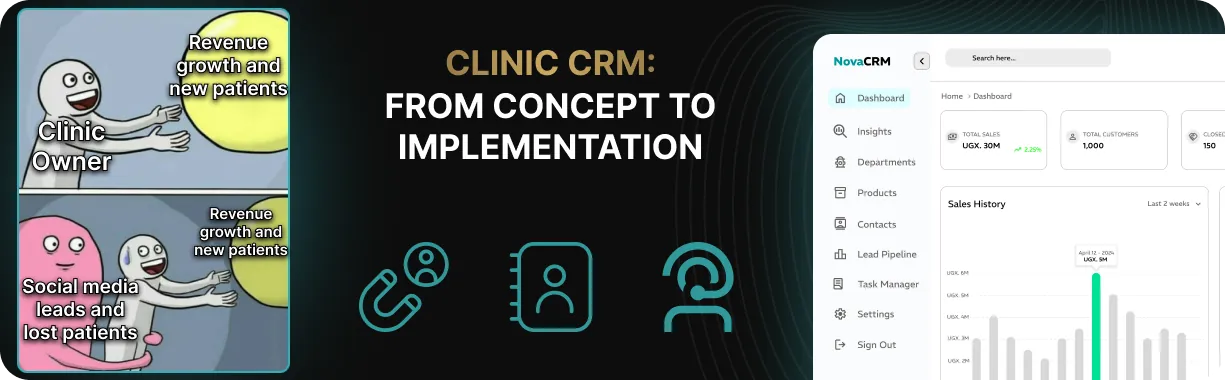
The owner of a private clinic usually notices the chaos not in reports, but in the small things: an administrator is searching for online bookings in message threads, a patient disappears after a phone call, and at the end of the month the marketing team reports that the ads performed well, yet there is still no growth. Leads are scattered across Excel files, messengers, and notebooks, appointments get lost somewhere between the initial call and the doctor’s office, and in practice there is no real system in place.
In this situation, a CRM for clinics becomes a business support tool that helps bring order to patient management, scheduling, and finances. This article is a practical guide from the initial idea of implementing a CRM to building a system that shows who booked, who actually showed up for the appointment, and where the clinic is losing revenue.
How CRM Works in a Clinic and Why Management Needs It
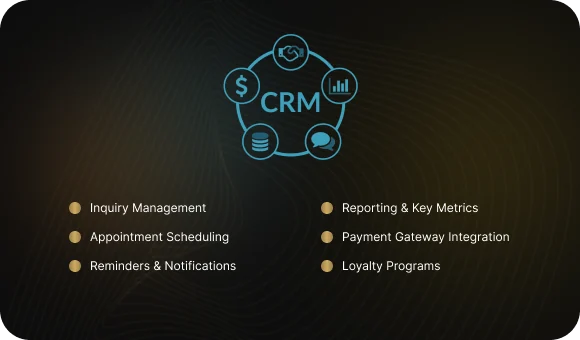
A CRM system for a medical center is a tool for managing patient inquiries, appointment scheduling, and key performance metrics. It helps organize business processes, reduces manual workload, and makes day-to-day operations more predictable.
A quick note on terminology
CRM (Customer Relationship Management) is a system for managing customer relationships that brings together patient inquiries, online and offline bookings, and ongoing communication.
PRM (Patient Relationship Management) is essentially the same concept, but with a stronger focus on healthcare and patient-specific workflows.
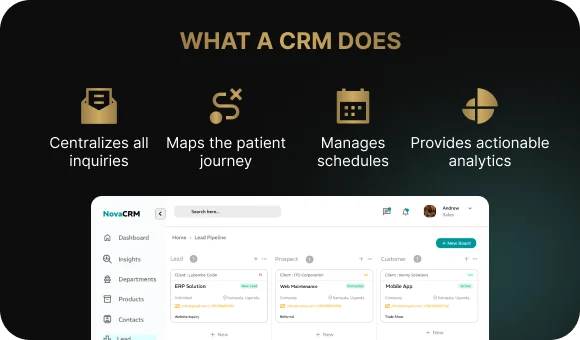
What does a CRM / PRM system do?
- collects all patient inquiries in one place: phone calls, website requests, online bookings, and messages from messengers all go into a single database;
- shows the patient journey through the clinic, from the first contact and appointment booking to the visit itself;
- helps manage schedules and communications by confirming appointments, sending reminders, and running outreach campaigns;
- gives clinic management clear visibility into the numbers: how many inquiries came in, how many patients showed up for appointments, total revenue, and the share of repeat visits.
CRM and MIS: what’s the difference?
In practice, CRM and MIS rarely exist separately. In a modern clinic, they are usually either modules within the same system or tightly integrated solutions.
It is important to understand one thing: a CRM will not create order on its own. If a clinic does not have clear workflows for administrative staff and doctors, the system simply becomes another piece of software that is disconnected from real operations, wastes employees’ time, and gets filled in only formally.
Where to Start: Setting Goals and Defining Objectives
Before choosing a CRM system, a clinic needs to understand exactly which business problems it wants to solve and which goals it wants to achieve in patient relationship management. Start with the simplest question: do you actually need a CRM at all?
Is it time for your clinic to think about CRM integration?
Answer a few questions:
- Is there chaos in the way inquiries are handled?
Patients come from different channels and get lost along the way. - Are potential patients failing to make it to appointments?
And do you only find out after the fact? - Are you still calculating everything manually?
The number of inquiries, no-shows, repeat visits. - Do you only see the result, but not the process?
Revenue is visible, but where exactly patients are being lost is unclear.
If you answered “yes” to more than one of these questions, your clinic likely needs a CRM.
How to set the right goal
The goal of CRM implementation should be specific and measurable, not just a vague idea of “going digital.” A clearly defined business goal makes it possible to evaluate results through understandable metrics and ensures the CRM supports real operational processes.

Examples of practical goals:
- stop losing patient inquiries;
- see the full patient journey from first contact to appointment and revenue;
- reduce the no-show rate;
- increase the share of repeat visits;
- monitor the work of administrators and the call center.
The Implementation Team: Who Should Be Involved
A CRM is not implemented by one person alone. For the system to actually work, it is important from the start to involve the key people who understand the clinic’s processes from the inside and will work with the system every day.
Who should be part of the working group?
- Owner or director — defines the business goals and makes key decisions;
- Chief medical officer — makes sure the changes do not interfere with doctors’ work;
- Head of front desk or call center — describes how inquiries are really handled in practice;
- Marketing specialist (if there is one) — manages lead sources and the connection between advertising and revenue;
- IT or automation specialist — evaluates integrations and the technical capabilities of the system.
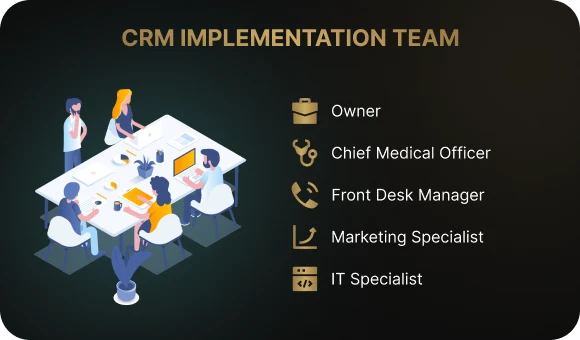
This kind of team makes it easier to make decisions quickly and helps avoid a situation where the CRM is “pushed from the top down” while the staff do not understand why it is needed.
Questions to Answer Before Choosing a CRM
These questions help shape your system requirements:
- Which patient-facing processes are the most problematic?
- Which figures do you want to see in reports every day or every week?
- What legal or internal compliance requirements must the clinic follow?
- What absolutely cannot be complicated or disrupted?
For example, doctors’ workflows, patient appointments, or the current care delivery process.
How to Describe Clinic Processes and Prepare CRM Requirements
To implement a CRM in healthcare, you first need to define what the system must be able to do. You do not need a massive technical specification at the start. A clear and concise description of the clinic’s day-to-day operations is enough.
Start with the patient journey as a simple sequence of steps:
A person sees an ad or finds the clinic online → calls or sends a message → gets a response from an administrator → books an appointment → receives a reminder → comes to the visit → pays for the service → gets recommendations → returns for a follow-up visit → leaves a review.
Which processes are important to document?
- Inquiry handling: where patients come from — phone, website, online booking, messengers;
- Scheduling and doctors’ calendars: who sees the schedule and who can change it;
- Reminders and no-show follow-up: when and how patients are reminded about appointments;
- Repeat visits and checkups: how the clinic brings patients back;
- Promotions and loyalty programs;
- Management reporting: which indicators leaders want to monitor regularly.
The “Nothing Extra” Principle: Core Features First, Nice-to-Haves Later
This principle helps prevent CRM implementation from turning into a pile of flashy but useless services and interfaces. It is like a coffee machine that connects to an app, shows the weather, and glows beautifully — but does not actually make coffee. If the basics do not work, everything else is irrelevant.
That is why, at the beginning, the focus should be on the MVP: the minimum functionality the business actually needs. Usually this includes inquiry handling, a unified database of online and offline bookings, reminders, no-show tracking, and management reports. Everything else — a patient app, complex loyalty programs, custom integrations — should be moved to the next stage, once the core processes are already working and the system is being used in real operations.
Example of CRM requirements in plain language
Must-have requirements for launch (MVP):
- all patient inquiries from phone calls, the website, and messengers must go into one database;
- the clinic administrator must see the status of every inquiry: new lead, booked, attended, did not show up;
- the system must send appointment reminders to patients;
- management must be able to view reports on inquiries, visits, and no-shows.
Additional requirements for the next stage:
- a mobile patient portal and online services;
- loyalty programs and promotions;
- advanced doctor-level analytics.
Tip: write requirements in simple language. There is no need for technical jargon or overly complex descriptions. Developers are people too, and they will understand your needs much faster if you describe the task and the outcome clearly.
What to Prepare Before CRM Implementation
The success of CRM implementation in a medical center depends heavily on how well the team prepares before the system is installed.
1. Data preparation
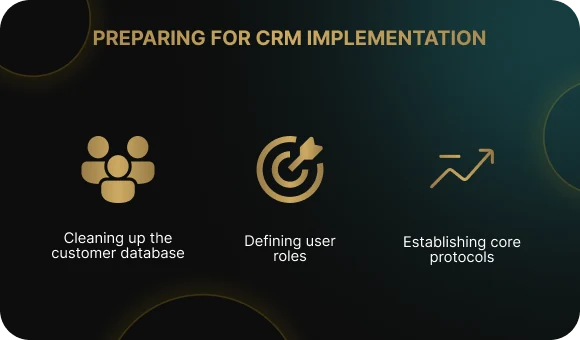
Before implementation, it is important to organize the data the clinic already has. This is basic “data hygiene”: without it, the system will run on incomplete or inaccurate information, and errors and duplicates will slow everything down.
- collect the patient database from all sources: Excel files, the old MIS, telephony, administrators’ records;
- remove duplicates, at least the most obvious ones;
- decide which fields must be mandatory in the CRM, such as full name, phone number, and date of birth.
2. Roles and responsibilities
Before implementation, the team needs to agree in advance on who is responsible for what and assign ownership for each process.
Examples of roles:
- CRM project owner — defines goals and makes business decisions;
- Training and data lead — trains staff and monitors data quality;
- System development owner — collects feedback and prioritizes improvements.
3. Simple operating rules
Before implementation, it is important to document the basic rules for working with patients and data. The team should agree in advance on how quickly incoming inquiries must be handled, who contacts patients who missed their appointments and according to what script, and how often management reviews reports and acts on them.
Four Stages of CRM Implementation for Medical Clinics: From Pilot to Full Rollout
It is smart to implement CRM in a clinic step by step so that staff and doctors can adapt gradually and problems can be identified early.
Stage 1. Pilot launch
The first step is to launch the CRM on a limited scale. For example, you might start with one department, such as dentistry or diagnostics. This makes it possible to test the system in real operations without putting the whole clinic at risk and quickly see what needs adjustment.
For a pilot, a simple set of functions is enough:
- handling patient inquiries;
- appointment scheduling;
- reminders;
- basic reporting.
Before launch, it is important to agree on the testing period and the success criteria. Usually these include a reduction in no-shows, an increase in the number of bookings, and fewer lost inquiries.
Stage 2. Training and adaptation
After the pilot launch, the clinic needs to set aside time for staff training. Administrators learn how to manage inquiries and bookings, doctors learn the basic actions they need in the system, and managers learn how to use reports and track key indicators.
A common challenge during digital transformation is staff frustration and resistance to change, especially if the system feels inconvenient or time-consuming. That is why it is important to explain from the start why the CRM is being introduced, how its interface works, and how it will make everyday tasks easier. When people understand the purpose, adaptation happens faster, tension is lower, and conflict is less likely.
Stage 3. Integrations and functional expansion
Once the basic features are working reliably, you can start connecting additional services and integrations without overloading the core interface:
- telephony — showing the patient record on incoming calls and recording conversations;
- website and online booking — sending requests directly into the system without manual entry;
- MIS and payment system integrations — linking medical data, patient records, appointments, and payments;
- messaging campaigns and loyalty programs — supporting repeat visits and patient retention.
Stage 4. Scaling
Once you are confident that the CRM is working reliably in pilot mode and you have had enough time to evaluate the results, the tested settings and rules can be rolled out to other departments and branches. Additional staff and doctor training is conducted, new integrations and services are connected, and a unified reporting system is built so management can see the full picture across the clinic or network.
How to Tell Whether the CRM Is Working: Simple Metrics for Management
Do not let the word “metrics” intimidate you. This is not about complex formulas. It is enough to monitor a few basic indicators that directly show whether clinic operations have become more manageable.
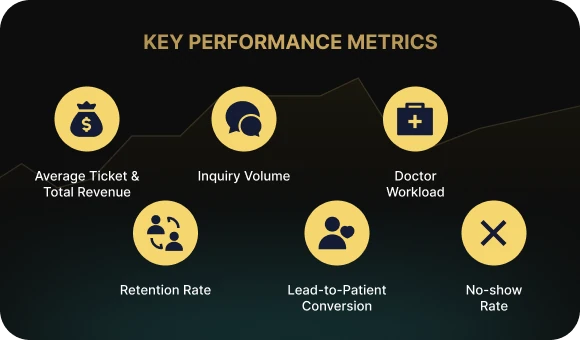
Metrics worth tracking
- Number of inquiries by channel — how many requests come in through phone calls, the website, and online booking each week or month;
- Conversion from inquiry to visit — how many patients who contacted the clinic actually booked and attended an appointment;
- No-show rate — how many patients miss appointments without canceling;
- Repeat visit rate — how many patients come back;
- Average ticket and revenue by service line — which services generate income and which are underperforming;
- Doctor utilization — where there are open slots and where overload occurs.
These indicators do not need constant monitoring and should not take much time. In most cases, it is enough to review the overall picture and the trend once a week or once a month. It is also important to remember that CRM is just a tool: if the numbers do not change, it is worth checking whether the system is configured correctly and whether staff processes and habits have actually changed.
Checklist: 7 Steps from Idea to a Working CRM
Here is a short checklist you can use as a practical guide when implementing a CRM in a clinic:
- define the goals — formulate 3 to 5 tasks the CRM should solve;
- describe the patient journey — map out the main steps in simple language;
- choose the implementation approach — an industry-specific solution, a general CRM with customizations, or a fully custom build;
- prepare the database and working rules — clean up the data, assign responsibilities, and agree on the operating procedures;
- launch a pilot and train the staff — test the system and collect feedback;
- connect integrations and services gradually — start with the essentials instead of trying to launch everything on day one;
- review the numbers regularly — adjust workflows and system settings based on results.
Conclusion
There is a lot of talk about digitalization in healthcare today, but without a clear purpose it easily turns into a formality. A CRM should not complicate business processes or increase the workload for medical staff. Its job is the opposite: to make clinic operations manageable and predictable, with a stable patient flow, better service delivery, and clear numbers for management.
A phased approach — setting goals first, then describing processes, choosing a solution, running a pilot, and only then scaling — gives a clinic the chance to implement CRM without chaos or team burnout. This format reduces risks and helps deliver results at every stage instead of postponing the benefits indefinitely.
If you need a structured CRM implementation that supports the business rather than complicating it, contact us at Beetrail. We will help design the rollout around the real needs of your clinic.
How CRM Works in a Clinic and Why Management Needs It
A CRM system for a medical center is a tool for managing patient inquiries, appointment scheduling, and key performance metrics. It helps organize business processes, reduces manual workload, and makes day-to-day operations more predictable.
A quick note on terminology
CRM (Customer Relationship Management) is a system for managing customer relationships that brings together patient inquiries, online and offline bookings, and ongoing communication.
PRM (Patient Relationship Management) is essentially the same concept, but with a stronger focus on healthcare and patient-specific workflows.
What does a CRM / PRM system do?
- collects all patient inquiries in one place: phone calls, website requests, online bookings, and messages from messengers all go into a single database;
- shows the patient journey through the clinic, from the first contact and appointment booking to the visit itself;
- helps manage schedules and communications by confirming appointments, sending reminders, and running outreach campaigns;
- gives clinic management clear visibility into the numbers: how many inquiries came in, how many patients showed up for appointments, total revenue, and the share of repeat visits.
CRM and MIS: what’s the difference?
In practice, CRM and MIS rarely exist separately. In a modern clinic, they are usually either modules within the same system or tightly integrated solutions.
It is important to understand one thing: a CRM will not create order on its own. If a clinic does not have clear workflows for administrative staff and doctors, the system simply becomes another piece of software that is disconnected from real operations, wastes employees’ time, and gets filled in only formally.
Where to Start: Setting Goals and Defining Objectives
Before choosing a CRM system, a clinic needs to understand exactly which business problems it wants to solve and which goals it wants to achieve in patient relationship management. Start with the simplest question: do you actually need a CRM at all?
Is it time for your clinic to think about CRM integration?
Answer a few questions:
- Is there chaos in the way inquiries are handled?
Patients come from different channels and get lost along the way. - Are potential patients failing to make it to appointments?
And do you only find out after the fact? - Are you still calculating everything manually?
The number of inquiries, no-shows, repeat visits. - Do you only see the result, but not the process?
Revenue is visible, but where exactly patients are being lost is unclear.
If you answered “yes” to more than one of these questions, your clinic likely needs a CRM.
How to set the right goal
The goal of CRM implementation should be specific and measurable, not just a vague idea of “going digital.” A clearly defined business goal makes it possible to evaluate results through understandable metrics and ensures the CRM supports real operational processes.
Examples of practical goals:
- stop losing patient inquiries;
- see the full patient journey from first contact to appointment and revenue;
- reduce the no-show rate;
- increase the share of repeat visits;
- monitor the work of administrators and the call center.
The Implementation Team: Who Should Be Involved
A CRM is not implemented by one person alone. For the system to actually work, it is important from the start to involve the key people who understand the clinic’s processes from the inside and will work with the system every day.
Who should be part of the working group?
- Owner or director — defines the business goals and makes key decisions;
- Chief medical officer — makes sure the changes do not interfere with doctors’ work;
- Head of front desk or call center — describes how inquiries are really handled in practice;
- Marketing specialist (if there is one) — manages lead sources and the connection between advertising and revenue;
- IT or automation specialist — evaluates integrations and the technical capabilities of the system.
This kind of team makes it easier to make decisions quickly and helps avoid a situation where the CRM is “pushed from the top down” while the staff do not understand why it is needed.
Questions to Answer Before Choosing a CRM
These questions help shape your system requirements:
- Which patient-facing processes are the most problematic?
- Which figures do you want to see in reports every day or every week?
- What legal or internal compliance requirements must the clinic follow?
- What absolutely cannot be complicated or disrupted?
For example, doctors’ workflows, patient appointments, or the current care delivery process.
How to Describe Clinic Processes and Prepare CRM Requirements
To implement a CRM in healthcare, you first need to define what the system must be able to do. You do not need a massive technical specification at the start. A clear and concise description of the clinic’s day-to-day operations is enough.
Start with the patient journey as a simple sequence of steps:
A person sees an ad or finds the clinic online → calls or sends a message → gets a response from an administrator → books an appointment → receives a reminder → comes to the visit → pays for the service → gets recommendations → returns for a follow-up visit → leaves a review.
Which processes are important to document?
- Inquiry handling: where patients come from — phone, website, online booking, messengers;
- Scheduling and doctors’ calendars: who sees the schedule and who can change it;
- Reminders and no-show follow-up: when and how patients are reminded about appointments;
- Repeat visits and checkups: how the clinic brings patients back;
- Promotions and loyalty programs;
- Management reporting: which indicators leaders want to monitor regularly.
The “Nothing Extra” Principle: Core Features First, Nice-to-Haves Later
This principle helps prevent CRM implementation from turning into a pile of flashy but useless services and interfaces. It is like a coffee machine that connects to an app, shows the weather, and glows beautifully — but does not actually make coffee. If the basics do not work, everything else is irrelevant.
That is why, at the beginning, the focus should be on the MVP: the minimum functionality the business actually needs. Usually this includes inquiry handling, a unified database of online and offline bookings, reminders, no-show tracking, and management reports. Everything else — a patient app, complex loyalty programs, custom integrations — should be moved to the next stage, once the core processes are already working and the system is being used in real operations.
Example of CRM requirements in plain language
Must-have requirements for launch (MVP):
- all patient inquiries from phone calls, the website, and messengers must go into one database;
- the clinic administrator must see the status of every inquiry: new lead, booked, attended, did not show up;
- the system must send appointment reminders to patients;
- management must be able to view reports on inquiries, visits, and no-shows.
Additional requirements for the next stage:
- a mobile patient portal and online services;
- loyalty programs and promotions;
- advanced doctor-level analytics.
Tip: write requirements in simple language. There is no need for technical jargon or overly complex descriptions. Developers are people too, and they will understand your needs much faster if you describe the task and the outcome clearly.
What to Prepare Before CRM Implementation
The success of CRM implementation in a medical center depends heavily on how well the team prepares before the system is installed.
1. Data preparation
Before implementation, it is important to organize the data the clinic already has. This is basic “data hygiene”: without it, the system will run on incomplete or inaccurate information, and errors and duplicates will slow everything down.
- collect the patient database from all sources: Excel files, the old MIS, telephony, administrators’ records;
- remove duplicates, at least the most obvious ones;
- decide which fields must be mandatory in the CRM, such as full name, phone number, and date of birth.
2. Roles and responsibilities
Before implementation, the team needs to agree in advance on who is responsible for what and assign ownership for each process.
Examples of roles:
- CRM project owner — defines goals and makes business decisions;
- Training and data lead — trains staff and monitors data quality;
- System development owner — collects feedback and prioritizes improvements.
3. Simple operating rules
Before implementation, it is important to document the basic rules for working with patients and data. The team should agree in advance on how quickly incoming inquiries must be handled, who contacts patients who missed their appointments and according to what script, and how often management reviews reports and acts on them.
Four Stages of CRM Implementation for Medical Clinics: From Pilot to Full Rollout
It is smart to implement CRM in a clinic step by step so that staff and doctors can adapt gradually and problems can be identified early.
Stage 1. Pilot launch
The first step is to launch the CRM on a limited scale. For example, you might start with one department, such as dentistry or diagnostics. This makes it possible to test the system in real operations without putting the whole clinic at risk and quickly see what needs adjustment.
For a pilot, a simple set of functions is enough:
- handling patient inquiries;
- appointment scheduling;
- reminders;
- basic reporting.
Before launch, it is important to agree on the testing period and the success criteria. Usually these include a reduction in no-shows, an increase in the number of bookings, and fewer lost inquiries.
Stage 2. Training and adaptation
After the pilot launch, the clinic needs to set aside time for staff training. Administrators learn how to manage inquiries and bookings, doctors learn the basic actions they need in the system, and managers learn how to use reports and track key indicators.
A common challenge during digital transformation is staff frustration and resistance to change, especially if the system feels inconvenient or time-consuming. That is why it is important to explain from the start why the CRM is being introduced, how its interface works, and how it will make everyday tasks easier. When people understand the purpose, adaptation happens faster, tension is lower, and conflict is less likely.
Stage 3. Integrations and functional expansion
Once the basic features are working reliably, you can start connecting additional services and integrations without overloading the core interface:
- telephony — showing the patient record on incoming calls and recording conversations;
- website and online booking — sending requests directly into the system without manual entry;
- MIS and payment system integrations — linking medical data, patient records, appointments, and payments;
- messaging campaigns and loyalty programs — supporting repeat visits and patient retention.
Stage 4. Scaling
Once you are confident that the CRM is working reliably in pilot mode and you have had enough time to evaluate the results, the tested settings and rules can be rolled out to other departments and branches. Additional staff and doctor training is conducted, new integrations and services are connected, and a unified reporting system is built so management can see the full picture across the clinic or network.
How to Tell Whether the CRM Is Working: Simple Metrics for Management
Do not let the word “metrics” intimidate you. This is not about complex formulas. It is enough to monitor a few basic indicators that directly show whether clinic operations have become more manageable.
Metrics worth tracking
- Number of inquiries by channel — how many requests come in through phone calls, the website, and online booking each week or month;
- Conversion from inquiry to visit — how many patients who contacted the clinic actually booked and attended an appointment;
- No-show rate — how many patients miss appointments without canceling;
- Repeat visit rate — how many patients come back;
- Average ticket and revenue by service line — which services generate income and which are underperforming;
- Doctor utilization — where there are open slots and where overload occurs.
These indicators do not need constant monitoring and should not take much time. In most cases, it is enough to review the overall picture and the trend once a week or once a month. It is also important to remember that CRM is just a tool: if the numbers do not change, it is worth checking whether the system is configured correctly and whether staff processes and habits have actually changed.
Checklist: 7 Steps from Idea to a Working CRM
Here is a short checklist you can use as a practical guide when implementing a CRM in a clinic:
- define the goals — formulate 3 to 5 tasks the CRM should solve;
- describe the patient journey — map out the main steps in simple language;
- choose the implementation approach — an industry-specific solution, a general CRM with customizations, or a fully custom build;
- prepare the database and working rules — clean up the data, assign responsibilities, and agree on the operating procedures;
- launch a pilot and train the staff — test the system and collect feedback;
- connect integrations and services gradually — start with the essentials instead of trying to launch everything on day one;
- review the numbers regularly — adjust workflows and system settings based on results.
Conclusion
There is a lot of talk about digitalization in healthcare today, but without a clear purpose it easily turns into a formality. A CRM should not complicate business processes or increase the workload for medical staff. Its job is the opposite: to make clinic operations manageable and predictable, with a stable patient flow, better service delivery, and clear numbers for management.
A phased approach — setting goals first, then describing processes, choosing a solution, running a pilot, and only then scaling — gives a clinic the chance to implement CRM without chaos or team burnout. This format reduces risks and helps deliver results at every stage instead of postponing the benefits indefinitely.
If you need a structured CRM implementation that supports the business rather than complicating it, contact us at Beetrail. We will help design the rollout around the real needs of your clinic.