Development of a CRM system for a dental clinic: mandatory functionality
Development of a CRM system for a dental clinic: mandatory functionality
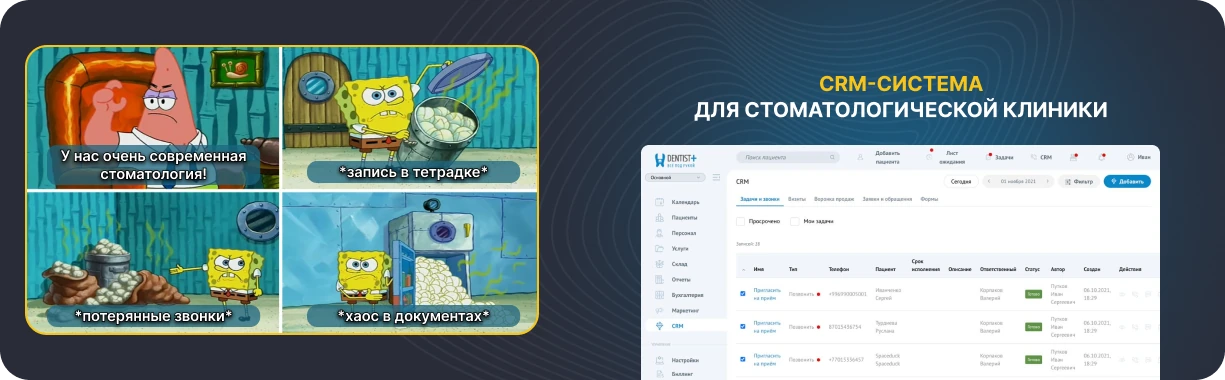
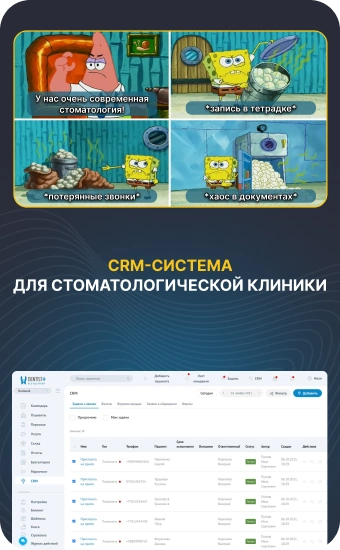
In retail, catering and service, it has long been considered the norm that businesses have a digital platform that stores customer histories, inquiries and contacts. If requests from the site were lost in the store, and the administrator searched for information using Excel spreads, it would look strange. In private dentistry, such situations still occur. There is a website and ads, there is telephony, there is a flow of patients, but there is no general system that connects everything.
Dentistry without CRM works manually. Calls and online applications from the site are lost, patients do not make it to a second appointment and disappear after the first consultation. Administrators keep notes in Excel and messengers, unable to quickly restore history and without systemic assistance in their work. When an employee changes, some of the information simply disappears.
Many clinics are trying to solve this problem using a universal CRM or are ordering the development of their own program. At the same time, the specifications of dentistry are often underestimated: long treatment plans, repeated visits, and the phased nature of working with a client. In this article, we'll discuss what blocks and functions should be included in a CRM for a dental clinic so that the system is understandable for staff and really helps their work.
CRM system for dentistry in simple words
CRM system for dentistry in simple words
An organizer that remembers patients
CRM (sometimes used to write CRM) for dentistry is a program that allows the clinic to see and manage all interactions with clients and patients in one place. The service stores patient data, the history of calls, appointments, visits and cancellations, and also records which channels the client came through: the website, online forms, calls. CRM helps administrators and employees work with records, plan communications, control the timing of visits and not lose customers between appointments. In fact, this is a tool that supports the daily work of a dental clinic, simplifies the processing of requests and provides basic reports without manually collecting data in different tables.
CRM and MIS: what's the difference
CRM is often confused with a medical information system or accounting program, so before comparing, it is important to distinguish what tasks each of these systems solves in a dental clinic and what role integration between them plays, allowing you to organize work without duplicating data and manual processes.
It is important to clarify right away that we are talking about the CRM logic of working with patients next. It can be implemented as a separate CRM system for dentistry or as a module within the general medical system of the clinic. The implementation format is not important: what matters is the set of functions and how the program helps to work with patients at all stages.
Who needs it: CRM for different clinic employees
Who needs it: CRM for different clinic employees
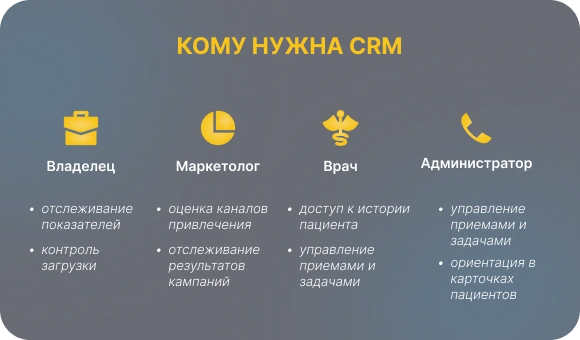
CRM in a dental clinic is used by more than one person and not for one task. The service allows the manager to monitor the performance of dentistry, the marketer to assess the recruitment and return of patients, the administrator to process requests and appointments, and the doctor to navigate treatment plans and agreements with the client. By integrating CRM, it becomes a working tool for all staff, helps save time and simplifies interaction between roles. The following are the key tasks in which the system provides practical assistance to each participant in the process.
For the clinic owner or director: It allows the manager to see the performance of dentistry in the context of doctors, referrals and customer sources, as well as monitor seat load and the work of administrators through reports.
Example: the director notes that with a stable stream of recordings, one seat is idle due to errors in the schedule and redistributes appointment time without expanding staff.
For a marketer: It acts as a tool for evaluating attraction channels and allows you to track which campaigns bring patients and which give only requests without appointments.
Example: The marketer sees that online posts from the site reach acceptance more often than ads on social media, and redistributes the budget in favor of a more efficient channel.
For the administrator: helps the administrator not to lose calls and requests, quickly navigate the patient card and manage appointments and tasks throughout the day.
Example: the administrator sees patients with an unconfirmed appointment in advance and closes free windows without hassles and manual lists.
For a doctor: gives the doctor access to the treatment plan and the history of agreements with the patient, without distracting from the appointment and the medical part of the work.
Example: the doctor immediately sees what stages of treatment the patient has already discussed and for what reasons he posted the decision, and does not waste time on repeated explanations.
What CRM should be able to do at the start: the basis of functionality
What CRM should be able to do at the start: the basis of functionality
There is the concept of “out of the box” functionality — this is the name given to a set of features that are available immediately after launch or the first version of development. These are basic tools without which the dental clinic will not be able to work properly with clients, online appointments and requests. Below are the main features of the platform that should be considered at the start.
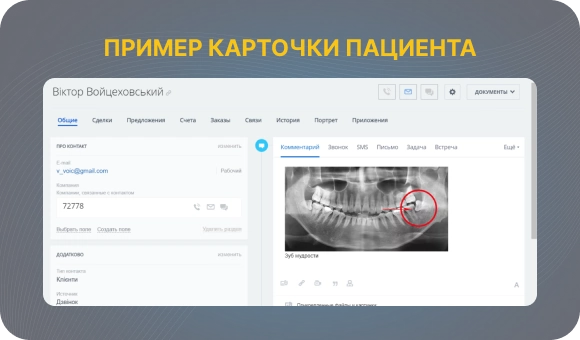
Single patient card
What is this: a single patient profile, which contains all information about the interactions between the dental clinic and this patient.
What problem does it solve: removes disparate data in Excel and correspondence, allows employees to quickly navigate the patient's history and not lose context between notes and appointments.
Important features: contact details and convenient search by phone and full name, history of calls and visits, cancellations and postponements of appointments, the source of the request, a short block on the treatment plan and payment status without medical details.
A funnel from a lead to a return visit
What is this: visual model of the patient's journey from first visit to follow-up visits and prevention.
What problem does it solve: allows dentistry to see at what stages clients stop moving forward and where records and appointments are lost.
Important features: customized funnel stages from a new request to a repeat, a display of patient statuses at each stage, the ability to link tasks and reminders to transitions between stages.
Integration with telephony and application channels
What is this: a link to channels through which patients go to dentistry online and by phone.
What problem does it solve: Eliminates the loss of calls and requests from the site, forms and messengers and removes the manual transfer of data to the database.
Important features: automatic creation of a patient or lead card when calling and applying, recording numbers and recording conversations, integration with IP telephony, the website and popular messengers.
A system of reminders and communications with patients
What is this: tools for regular and trigger communication with patients without manually monitoring each step.
What problem does it solve: reduces missed appointments and helps bring customers back for repeat visits and prophylaxis.
Important features: appointment reminders via SMS, WhatsApp and email, delayed reminders about hygiene and examinations, scenarios for patients who did not make it to treatment, did not pay or have not been to the clinic for a long time.
Working with treatment plans and approval
What is this: reflecting key information about the treatment plan and its status without medical details.
What problem does it solve: allows the clinic to track which treatment stages are agreed upon, where failures occur, and why the patient does not continue treatment.
Important features: linking the CRM to the treatment plan or importing data from the MIS, the statuses of the treatment stages, recording the reasons for the refusal for further work with the client.
Financial indicators in terms of sales
What is this: management reports reflecting the financial results of dentistry.What problem does it solve: gives the manager an understanding of which areas, doctors and customer sources are yielding results without diving into accounting.Important features: revenue reports by doctors, referrals and traffic sources, calculation of the average check for primary and repeat patients, conversion from request to payment.

Feedback and reputation module
What is this: the minimum block for working with patient reviews on external sites.
What problem does it solve: helps to systematically collect reviews and manage the reputation of dentistry without manual newsletters and chaotic reminders.
Important features: sending links to reviews by triggers or a list, recording the fact of the review, the site and the result.
Access rights and security
What is this: a system for differentiating employees' access to data and basic protection of customer information.
What problem does it solve: reduces the risk of data leaks and situations where employees see information that is not relevant to their tasks.
Important features: different levels of access for doctors, administrators and managers, limiting the visibility of reports and finances, taking into account personal data requirements when developing the system.
What can be posted to the second stage of CRM development
What can be posted to the second stage of CRM development
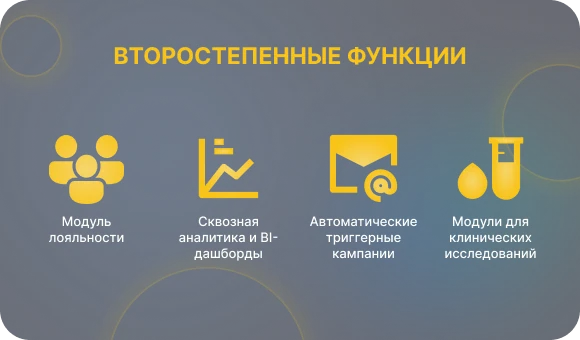
- Advanced loyalty module: Complex bonus systems and points do not affect the basic registration and admission processes at the start.
- End-to-end analytics and BI dashboards: Such reports require clean data and well-established processes that are usually not yet available in the first version of CRM.
- Fully automated trigger campaigns: Without the participation of an administrator, they often do not work correctly and make sense only after accumulating a patient database.
- Modules for clinical trials, insurance and special programs: They are not used in all clinics and do not apply to work with patients every day.
In short: first, it is important to complete basic tasks — not to lose calls, manage records and understand what is happening in the clinic, and it makes sense to activate additional features and functions after the processes have stabilized.
5 major mistakes when developing and choosing a CRM for dentistry
5 major mistakes when developing and choosing a CRM for dentistry
In practice, clinics often face the same problems, regardless of whether they choose a ready-to-make CRM or order development from scratch.
- We made our own CRM, but did not provide integration with telephony and the website. Calls and online applications continue to be processed manually, staff spends extra time, some requests are lost, and the system does not provide real help in their work.
- We designed the interface for a manager, not an administrator. CRM is convenient to look at in reports, but it is inconvenient to use it in a stream of records and calls, which is why data quickly loses its relevance.
- We did not create a funnel for working with patients. Dentistry sees the final figures, but is unable to understand at what stage patients do not make it to an appointment or treatment.
- We tried to immediately make the system like a large network. The functionality is overloaded, processes are not described, staff is wasting time learning, and integration is delayed and posted for months.
- We did not consider access rights and restrictions. Employees get access to information that is not related to their tasks, which poses risks for patient data and management reports.

Conclusion: where to start if you want your own CRM
To sum up, we should start not with the idea of “I want a unique CRM”, but with an understanding of the clinic's real tasks. At the start, it is important to determine where staff is losing time working with patients and records, what CRM functionality should be available first, and what indicators the manager wants to see regularly. Without this, the system will not become a working tool and will not provide practical assistance in the daily work of the clinic.
A rational approach is to first describe the mandatory CRM functionality that should work out of the box and make sure that it covers key dental processes. And only after that we can move on to discussing additional modules and unique improvements. If you have any doubts about where to start or how to formula requirements correctly, the logical step is to seek an audit or advice to analyze the processes and, based on them, draw up an understandable technical specification for the development or refinement of CRM.