



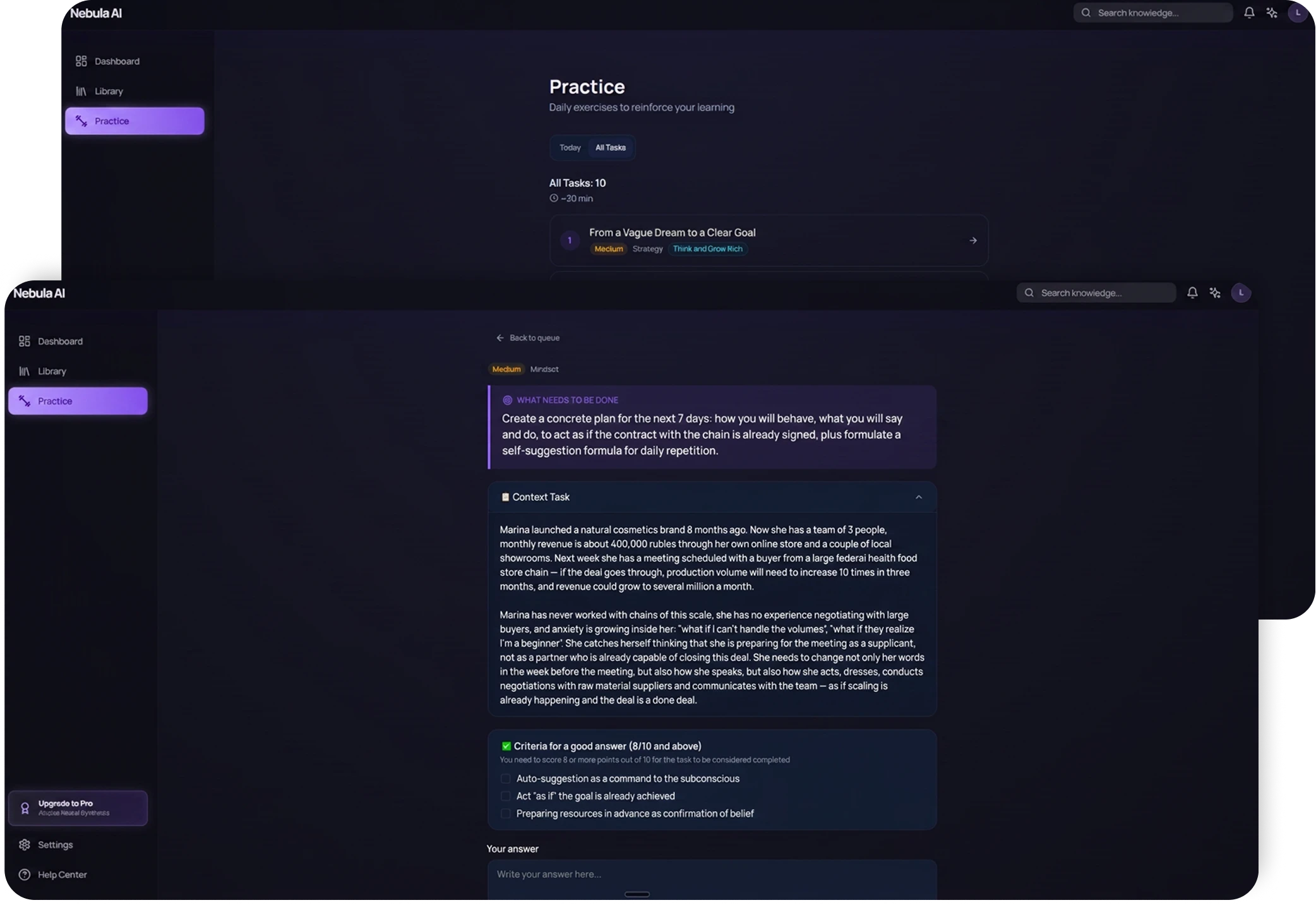

A personal Nebula AI learning plan on a large display

Nebula AI

Nebula is an AI app for people who read to get better at their work — business, marketing, management, professional books. The AI breaks the material down into key ideas and turns them into short drills that put those ideas into practice. Companies can upload their own handbooks and internal guidelines so staff build the knowledge into the way they work.

  • Book summary time 3 min
  • Drills repeated 20+ times
  • Theory retention +40%

About the project

Nebula was made for people who read to grow in their field — business, marketing, product, management. We built an app that carries what you read through to an actual skill. The AI breaks the material down into key ideas by itself and turns them into short drills where you apply an idea to your own work. It works for companies too: upload your handbooks and internal guidelines, and staff no longer just read them — they practise them on real situations.

A book record in Nebula AI with a learning plan split into phases

Beetrail built Nebula, an AI app that grows professional skills through reading. You upload a business book or an internal company document — a handbook, a set of guidelines, training material — and the AI breaks it into key ideas and creates short drills that help you practise the material. It suits both personal growth and training staff on a company’s own material.

The pain

People read business books to get better at their profession, but a couple of weeks later they no longer remember what the book was about — and whatever they do remember never makes it into their work. Companies have the same problem with training: a handbook is handed over at onboarding and everyone hopes the new hire will remember it and do things right.

The fix

We built an AI app where a book or a company document becomes something you practise. You upload the file, the AI finds the main ideas in it and builds short drills around them where you answer in your own words and apply the idea to your own work.

What the service does

Nebula takes on all the work with the material: you upload a business book or your own document, and the app pulls the key ideas out of the text, sorts them by topic, builds a learning plan from them and offers short drills to practise the skill.

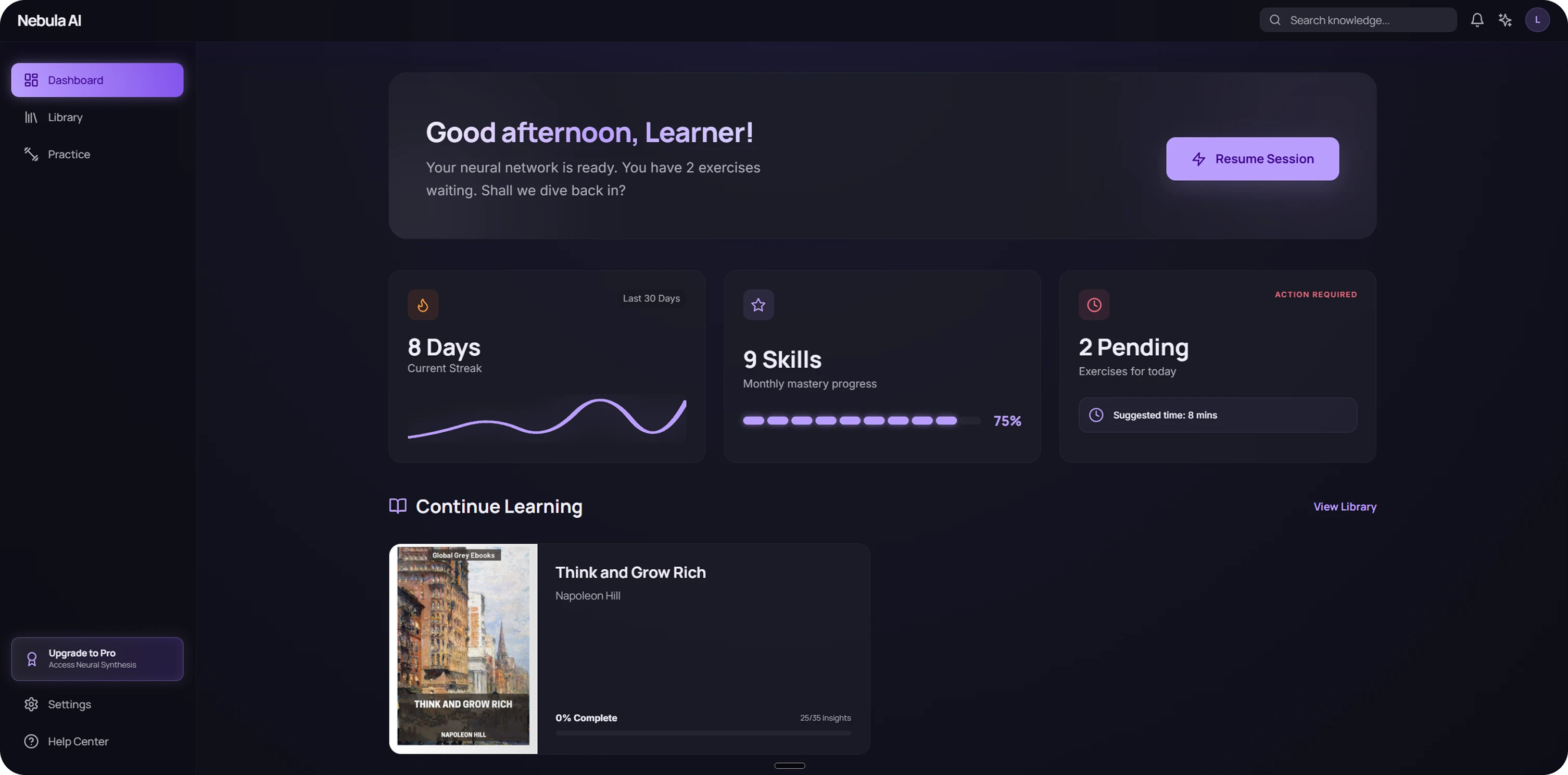
The Nebula AI main screen: a learning streak, skills mastered and pending drills

Main functions

  • Your own library of books and documents

    You upload your PDF — a book or a company document — and the AI takes it on straight away, with no summarising by hand.

  • The AI picks out what matters

    Nebula reads the material and gathers the main ideas into a list by topic, so you can see at once what is worth learning.

  • Review what it found

    Every idea the AI finds can be kept, edited or rejected. You decide what makes it into your plan and your practice.

  • A personal plan for the month

    Nebula builds a learning plan out of the confirmed ideas, split into phases. Each phase holds concrete steps rather than abstract tasks.

The library and uploading material

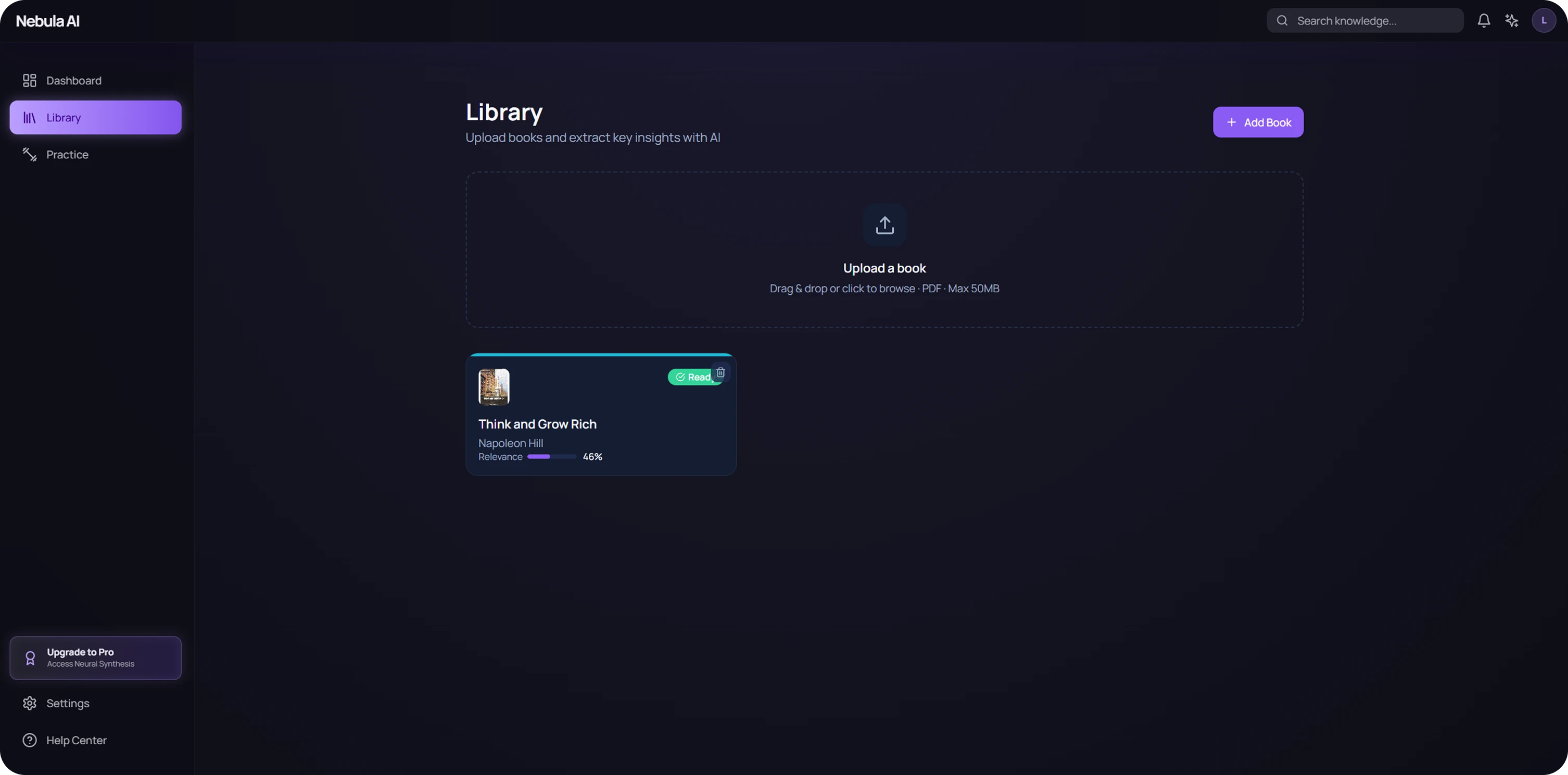
The library is the shared home for everything you have uploaded. From here you can drag your PDF into the upload zone or press “Add”, and the AI takes the file on straight away. Material already uploaded lives as cards showing how far you have got and how closely its ideas match your goal.

The Nebula AI library with a PDF upload zone and material cards

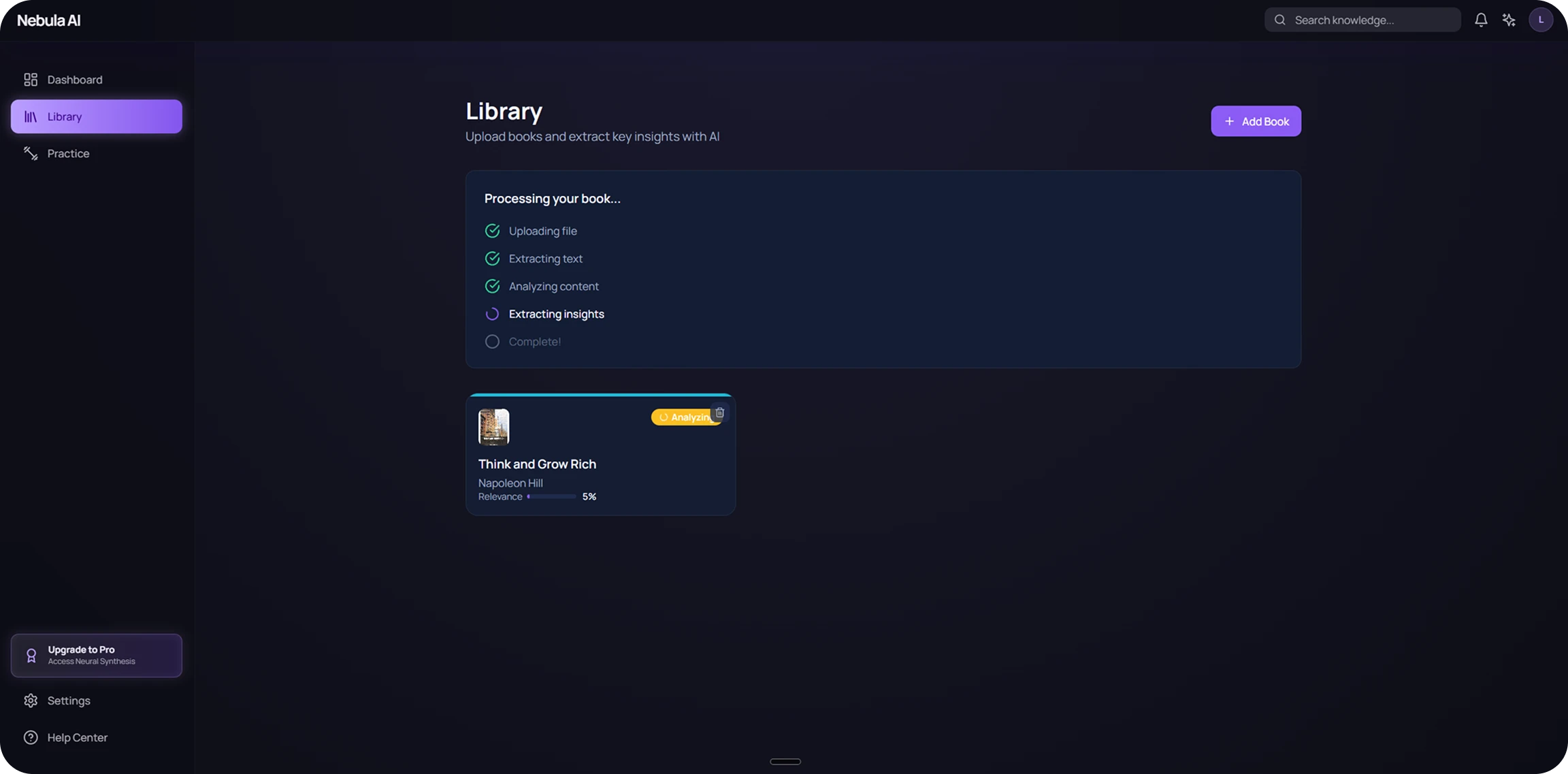
The AI breaks the material down

Once a file is uploaded, Nebula works through it step by step: it pulls the file in, extracts the text, analyses the content and draws out the key ideas. You can see which stages are done and what the system is working on right now.

The processing panel: upload, text extraction and idea-finding stages

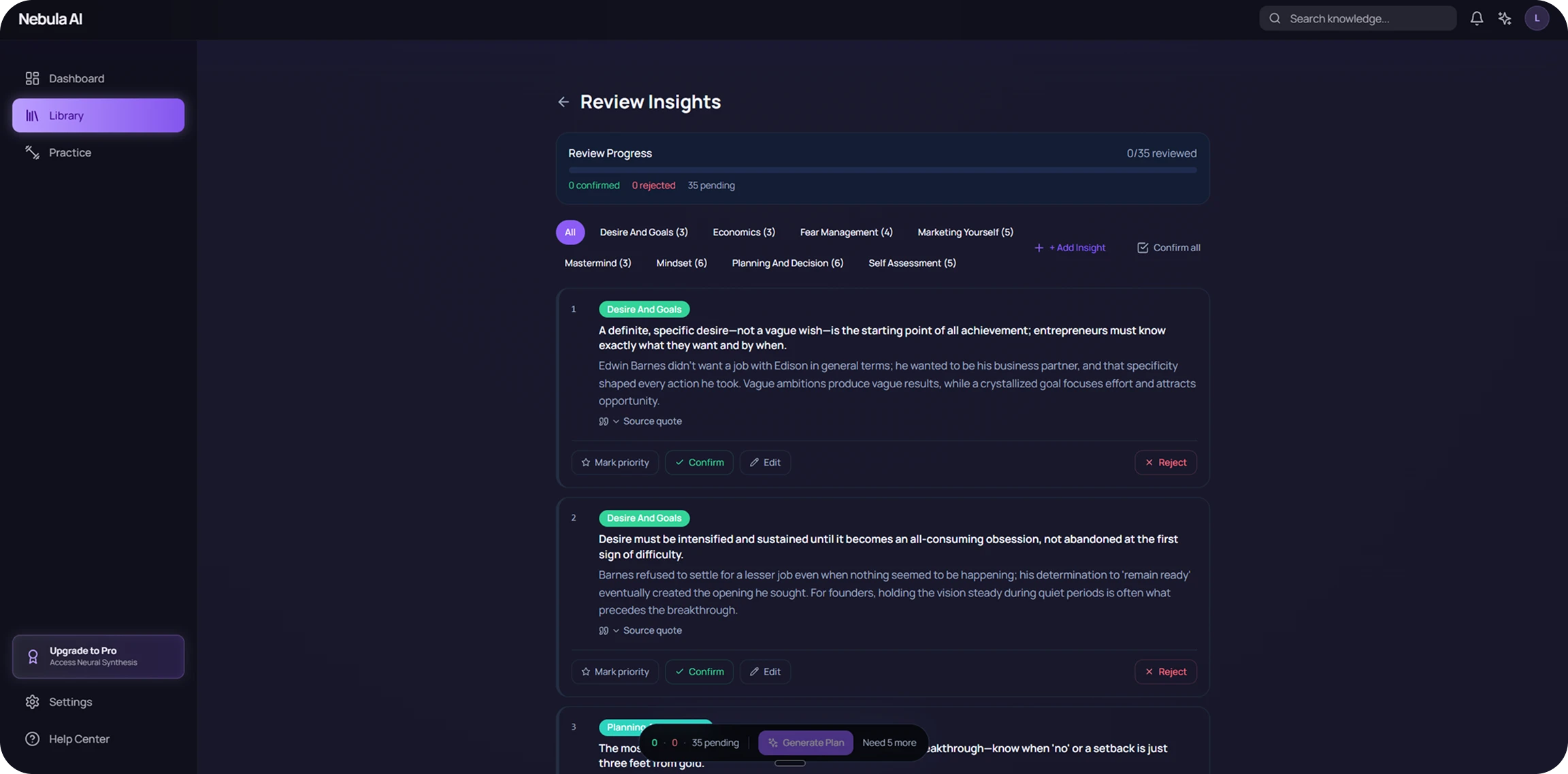
Reviewing what the AI found

Every idea the AI found sits on one screen, sorted by topic. Under each idea are buttons to confirm, edit, reject or flag it as a priority, and next to it a link to the original quote from the material so you can check the context.

The idea review screen with topics, action buttons and links to quotes

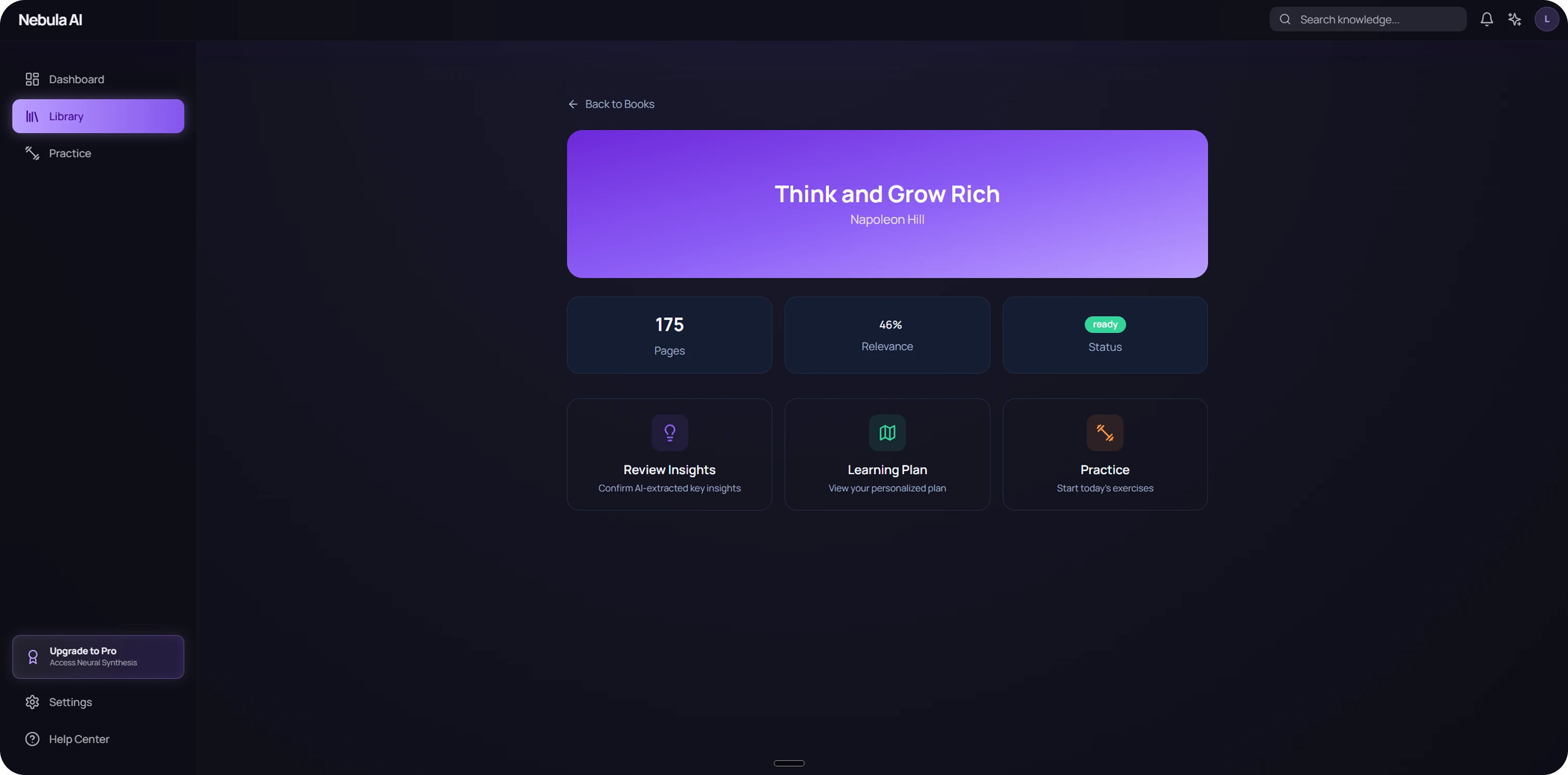
The material record

Every uploaded item has its own record with the numbers that matter: how many pages it holds, how far its ideas overlap with your goal and whether it is ready to work with. The three main actions sit right here: review the ideas, open the learning plan or start the daily practice — so you never have to hunt for the right screen across the app.

A material record with page count, relevance and the three main actions

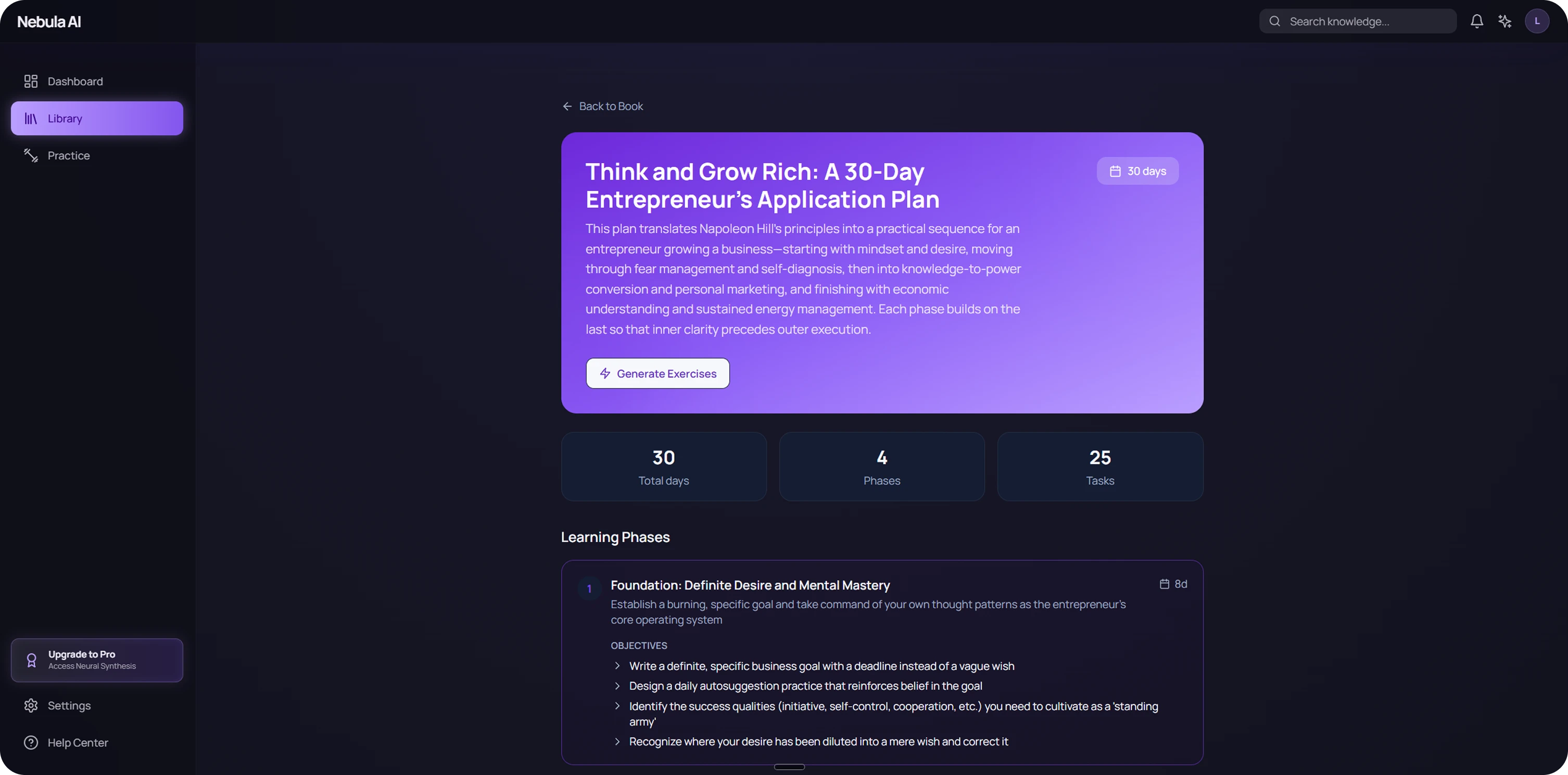
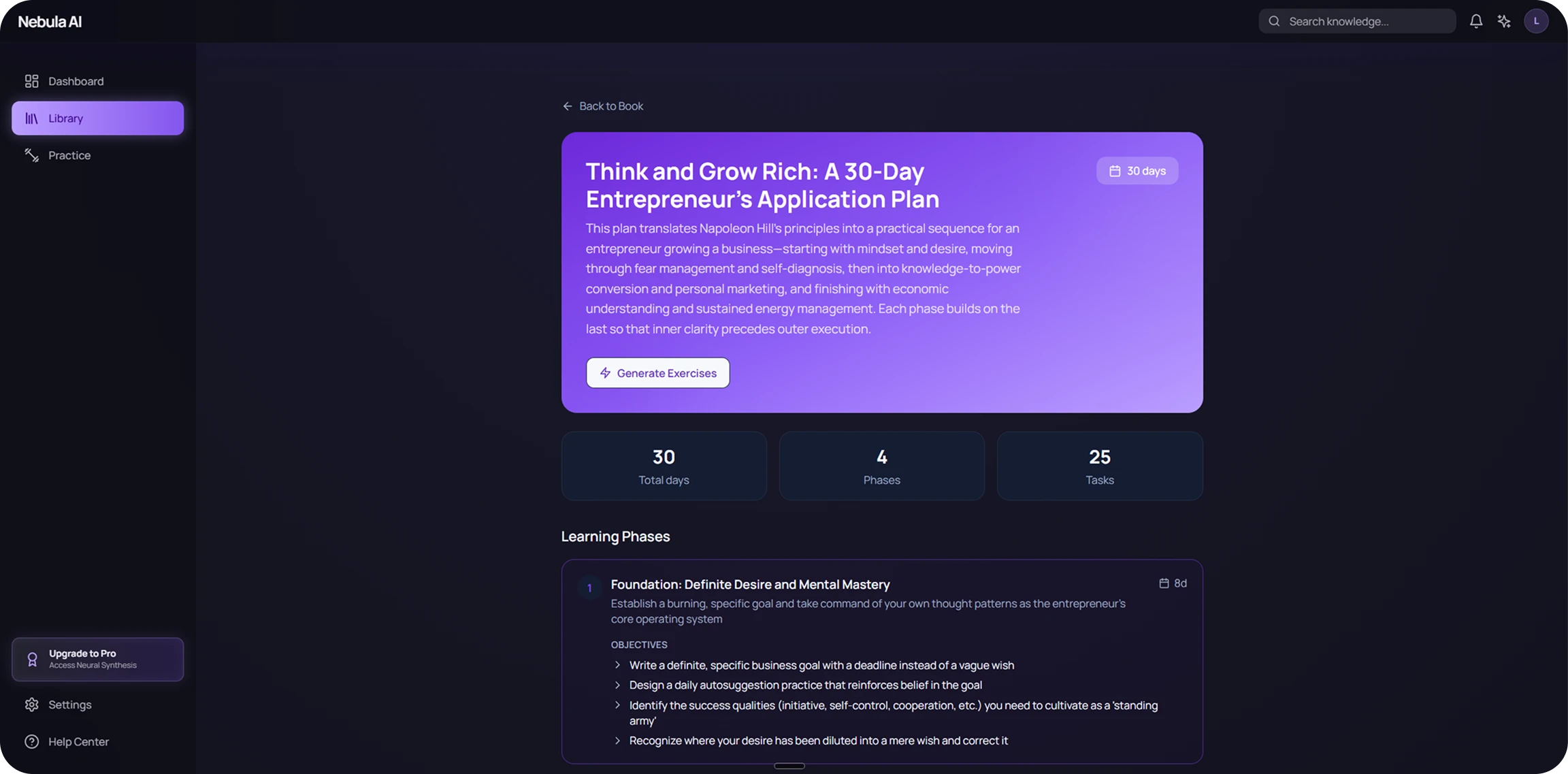
A personal plan for the month

The plan is split into phases, and inside each phase sit clear steps: set the goal, build a daily practice, work through the hard parts. One press from here generates the drills for the days ahead.

A personal learning plan split into phases with concrete steps
The list of drills for the day and a drill screen with a field for a written answer

A drill that checks your answer

Every task for the day sits in one list. Each carries a short title, the topics it covers and a difficulty level, so you can pick one to match your mood and the time you have. Inside the drill is a specific task tied to a quote from the material, and a field for a written answer. Because the criteria for a good answer are spelled out, you know what to aim at instead of guessing. The format turns practice into real work with the material.

  1. Worked out where business reading loses its payoff and why what people read never turns into real skills at work.

  2. Taught the AI to break down books and corporate documents and pull the main ideas out of them by topic.

  3. Built short drills around those ideas where you apply them to your own task in your own words.

  4. Added scheduled repetition so the skill sticks in the work and does not fade over time.

How we did it

Result

We ended up with an app where a business book or an internal company document gets used in the work rather than just read. You work the material through short drills built around your own tasks and come back to it on a schedule.

Achievements

  • The AI finds the main ideas itself
  • Works with books and handbooks alike
  • A personal learning plan

Other cases

AIAutomation
Wizard AI

Our own AI agent. It talks to inbound leads on Telegram and on the site, qualifies them, and passes the manager everything needed to reply.

Incoming requests handled 100%
Customer support 24/7
Reply to a client within 5 min
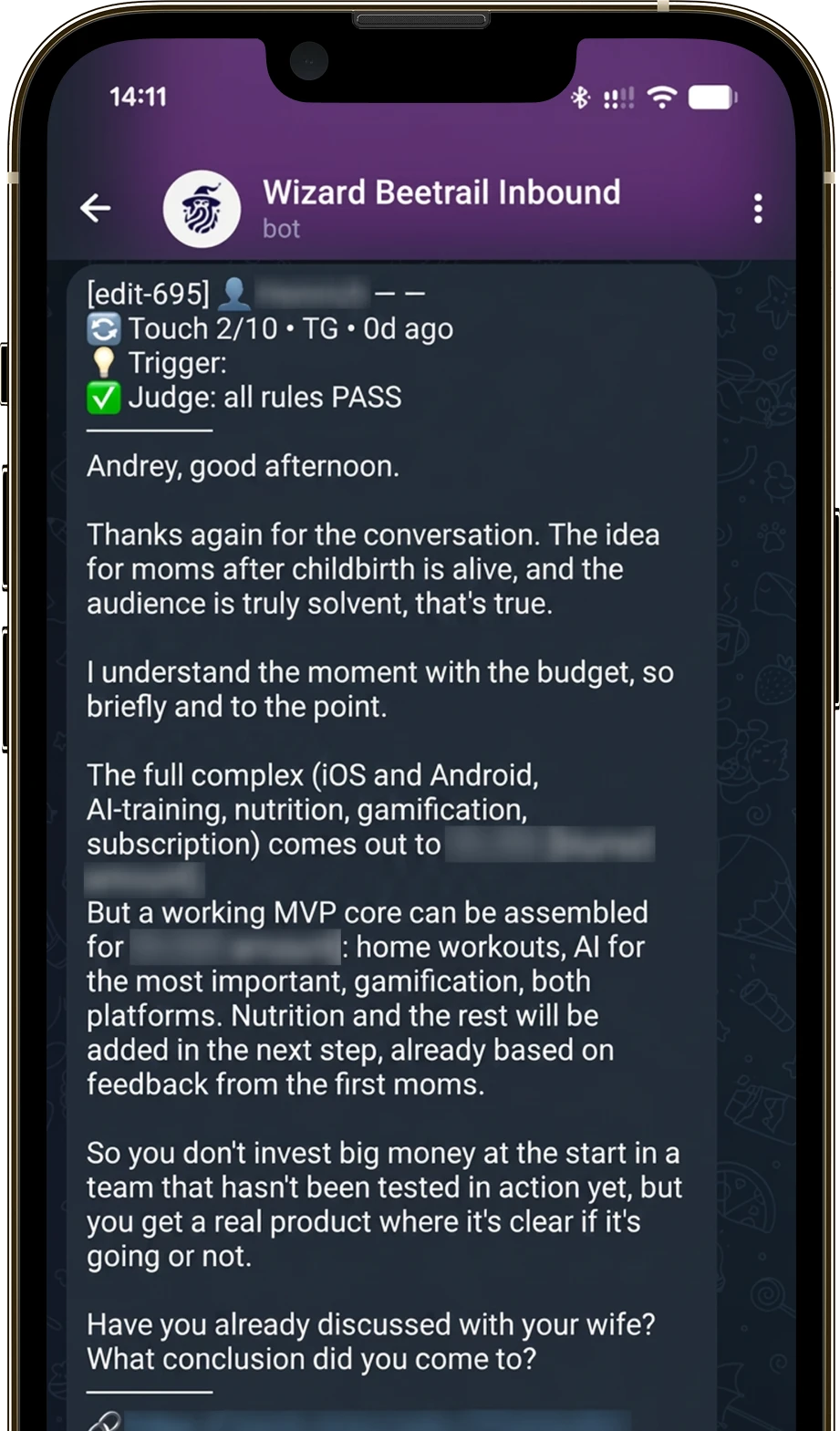
Wizard AI app screen
AIWebAutomation
DocuFlow

AI reads incoming documents and turns them into structured data; a person only checks the result. That takes hours of manual work off the team.

Documents processed 200 / day
Time per document 5 min
Working time saved 5+ hours
DocuFlow app screen

Book a free consultation with us

We’ll break down your idea, outline an action plan and give you a sense of cost and timeline.